Omarchy Wallpaper Engine


Project Overview
Interactive Wallpaper Engine desktop widget and control center for Omarchy & Hyprland
Architecture & Engineering Notes
Wallpaper Engine for Omarchy // Times Square Canyon
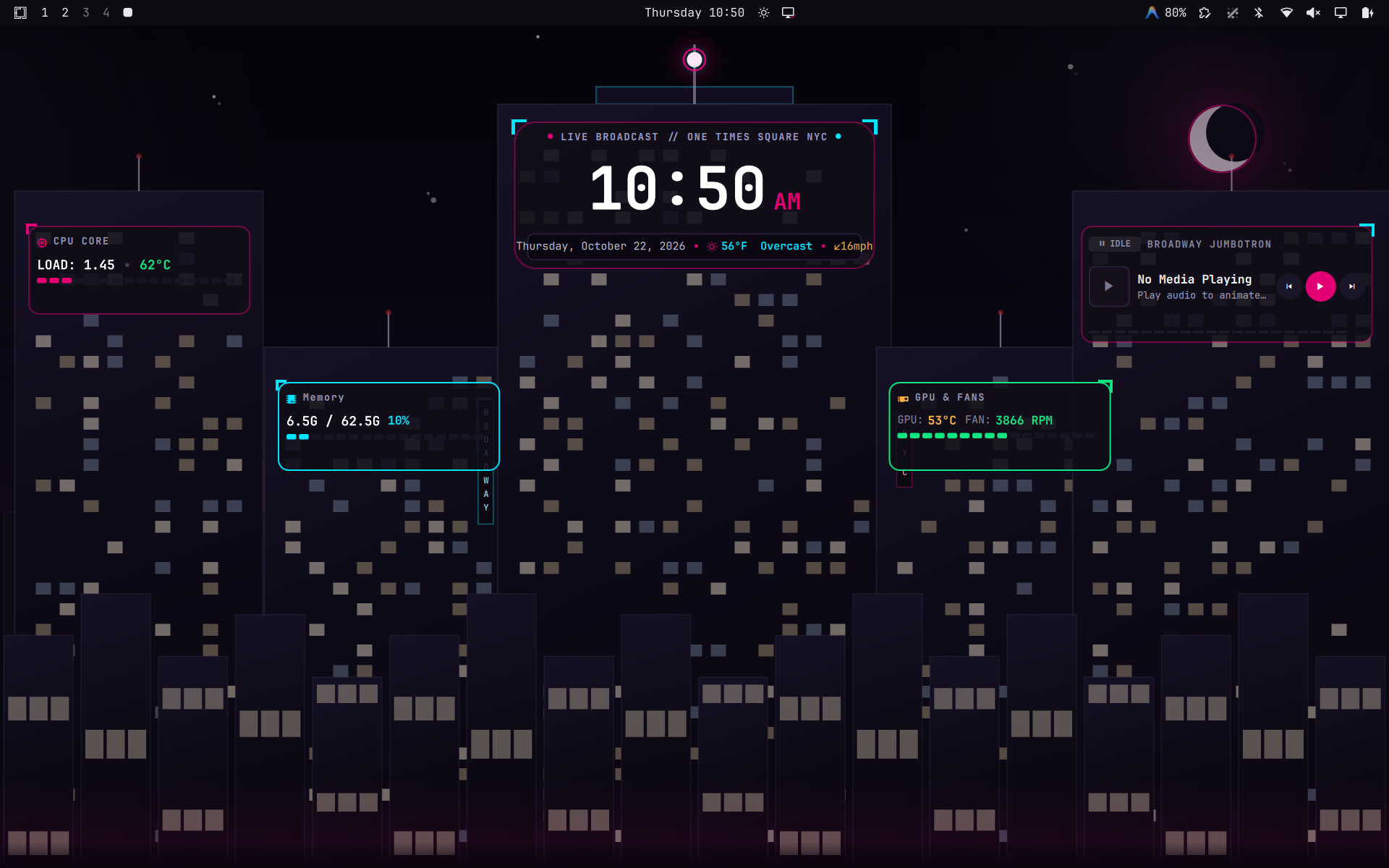
An interactive, live animated Times Square City Skyline & Cyber Neon Wallpaper for Omarchy and Hyprland, powered by Quickshell, Qt Quick, and Wayland LayerShell.
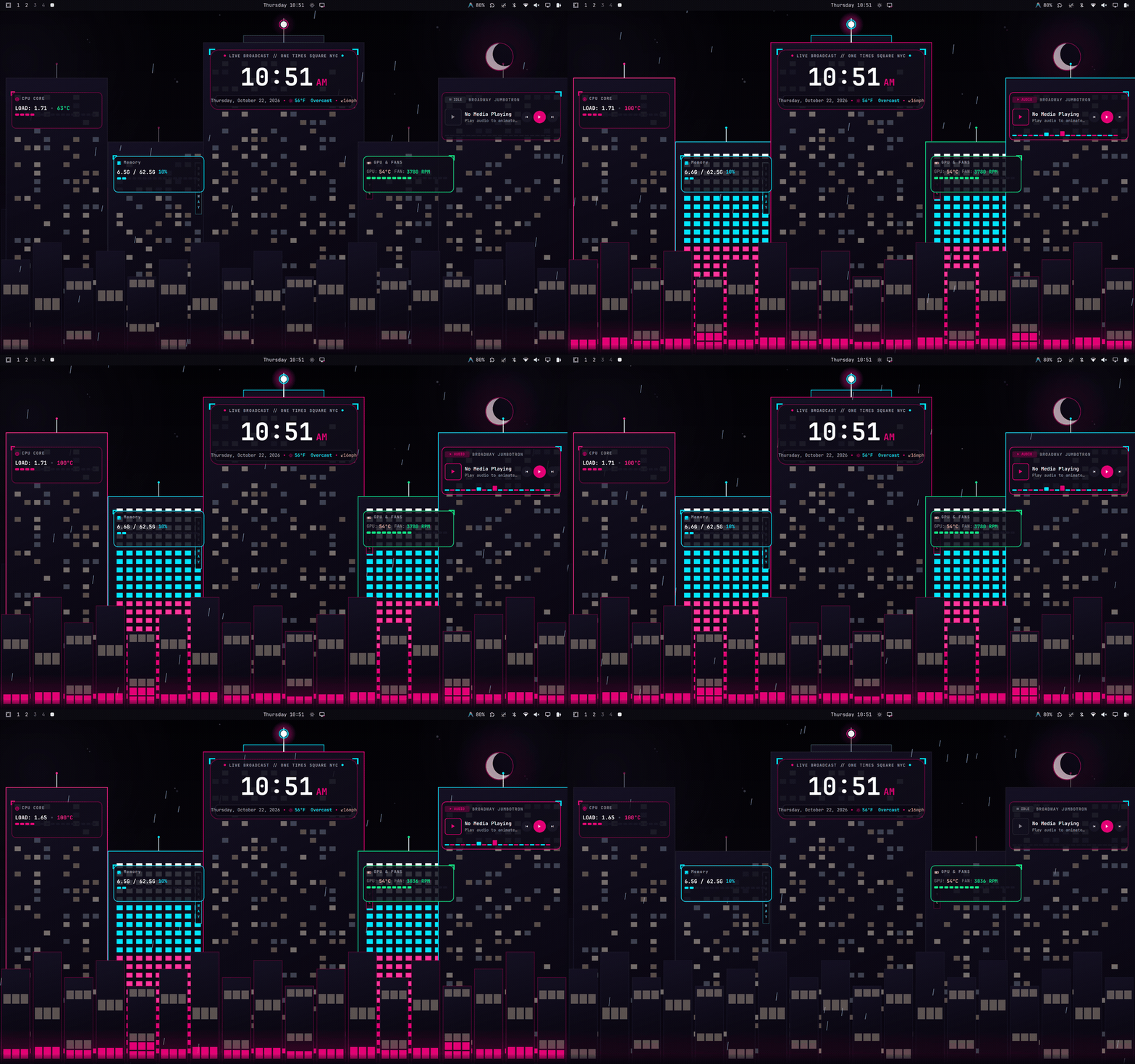
Featuring an authentic Times Square street canyon with 5 flagship skyscrapers mounted with interactive digital jumbotrons, dynamic weather simulation (thunderstorms with lightning, rain particles, snow, drifting clouds), audio-reactive building facades, live hardware telemetry, Spotify integration, and a fully responsive graphical customizer.
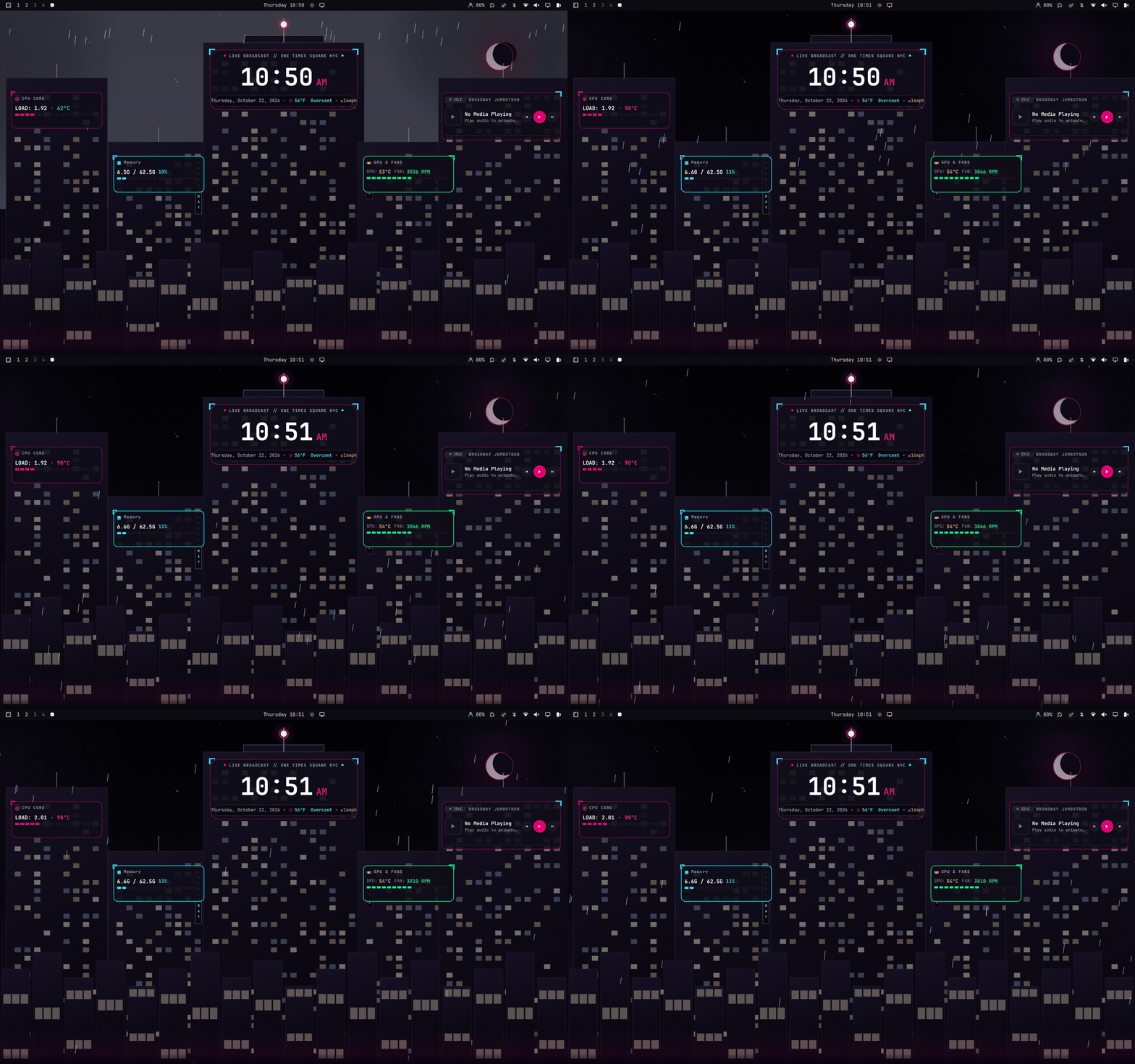
Live Dynamic Weather (Thunderstorm Lightning / Rain) & Audio-Reactive Skyline & Visualizer
🚀 Quick Install
Via Omarchy Shell Plugin Manager (Recommended)
omarchy plugin add https://github.com/ryguy0601/omarchy-wallpaper-engine.git --enable
Manual Installation
git clone https://github.com/ryguy0601/omarchy-wallpaper-engine.git ~/.config/omarchy/plugins/ryguy.wallpaper-engine
cd ~/.config/omarchy/plugins/ryguy.wallpaper-engine
./install.sh
omarchy restart shell
✨ Features
🏙️ Times Square Cityscape Architecture:
- Flagship Center Skyscraper (One Times Square): Digital clock with 12h/24h mode, seconds toggle, date readout, and Broadway weather & wind ticker ribbon. Topped with the Times Square New Year's Eve crystal ball that pulses to music.
- Tower 1 (Far-Left Skyscraper): NASDAQ CPU telemetry jumbotron with live load metrics, core temperature, and a 16-segment cyber activity bar. Click to launch system monitor (
btop). - Tower 2 (Mid-Left Skyscraper): Bank of America RAM memory wall with live memory usage, capacity, and cyan segmented gauge. Click to launch
btop. - Tower 4 (Mid-Right Skyscraper): Power GPU & Fan cooling tower with live GPU thermal sensors and fan RPM speeds. Click to launch
btop. - Tower 5 (Far-Right Skyscraper): Broadway Media Jumbotron with album artwork, live track title/artist, transport playback controls (
Prev,Play/Pause,Next), and real-time audio spectrum analyzer. Click to launch Spotify. - Lower Street Canyon: 20+ street-level buildings whose window rows light up dynamically to music frequencies.
- Vertical Neon Blade Signs: Authentic glowing "BROADWAY" and "NYC" blade signs flanking One Times Square.
⚡ High Performance & Low CPU Footprint:
- Hardware Framebuffer (FBO) Acceleration: Uses
Canvas.FramebufferObjectwith cooperative rendering for GPU acceleration. - Smart Adaptive Throttling: Renders at 30 FPS during active audio playback and throttles to ~10 FPS when idle.
- Auto-Pause on Fullscreen: Automatically pauses rendering whenever a game or application is fullscreen (
hasFullscreen), dropping CPU usage to 0%.
- Hardware Framebuffer (FBO) Acceleration: Uses
🌦️ Atmospheric Weather Simulation:
- Auto (Live Weather): Syncs automatically with Open-Meteo & your local forecast.
- Cyber Thunderstorm: Dark stormy sky with random lightning flashes and rain physics.
- Rainy Night & Winter Snow: Particle simulations with drifting snow flakes and wind drift.
- Overcast & Mist/Fog: Drifting cloud puffs and street-level neon fog.
🏷️ Custom Billboard Titles & Renaming:
- Change the name/brand of any skyscraper billboard directly in the GUI customizer (e.g., custom branding for CPU, RAM, GPU, Media, or Center Clock).
🎨 Responsive GUI Customizer (
SettingsWindow.qml):- Dynamically adapts to any screen resolution (1280x800 laptops up to 4K displays).
- Tabs for Atmosphere & Weather, Skyscraper Billboards & Custom Titles, Clock & Display, Cyber Styling, and Live Telemetry.
- Launchable at any time via
wallpaper-engine guior by clicking the central One Times Square billboard.
🛠️ Configuration & CLI Tool
Wallpaper Engine includes the wallpaper-engine CLI utility:
# Launch graphical settings control center HUD
wallpaper-engine gui

# View real-time hardware telemetry (CPU temp, fan speeds, RAM, GPU)
wallpaper-engine hw
wallpaper-engine hwinfo

# Set atmospheric weather simulation
wallpaper-engine weather <auto|rain|snow|cloudy|thunder|clear|fog>

# Switch clock format (12h or 24h) and toggle seconds
wallpaper-engine format 12
wallpaper-engine seconds on
wallpaper-engine clock-size 64

# Change cyber accent color
wallpaper-engine color "#e20074"
wallpaper-engine color "#00e5ff"

# Apply changes and restart shell
wallpaper-engine restart
⚙️ Configuration File (~/.config/wallpaper-engine/config.json)
All settings hot-reload automatically without needing to restart the shell:
{
  "weatherEffect": "auto",
  "billboards": {
    "clock": true,
    "cpu": true,
    "ram": true,
    "gpu": true,
    "media": true,
    "nameClock": "LIVE BROADCAST // ONE TIMES SQUARE NYC",
    "nameCpu": "NASDAQ // CPU CORE",
    "nameRam": "BANK // RAM STORAGE",
    "nameGpu": "POWER // GPU & FANS",
    "nameMedia": "BROADWAY JUMBOTRON"
  },
  "clock": {
    "format12h": true,
    "showAmPm": true,
    "showSeconds": false,
    "fontSize": 64
  },
  "style": {
    "accentColor": "#e20074",
    "cardBackground": "#0c0c12",
    "cardOpacity": 0.88,
    "cardRadius": 12,
    "borderWidth": 1.5
  }
}
📋 Architecture & File Layout
| File | Purpose |
|---|---|
manifest.json |
Omarchy shell plugin manifest (schemaVersion 1) |
WallpaperEngine.qml |
Desktop layer-shell Times Square skyline with audio visualizer & hardware jumbotrons |
SettingsWindow.qml |
Responsive 5-tab GUI overlay customizer with billboard renaming |
cava.conf |
PipeWire audio spectrum configuration |
bin/wallpaper-engine |
Python CLI and live hardware telemetry collector |
install.sh |
One-click installer & desktop shortcut creator |
uninstall.sh |
Clean uninstaller script |
WALLPAPER_ENGINE.md |
Comprehensive AI Agent & developer reference handbook |
📄 License
MIT License — Copyright (c) 2026 Ryan Cuccurullo (ryguy).