SELECTED WORK•5 TECHNOLOGIES•4 SCREENSHOTS
Qr Image
TECHNOLOGIES DEPLOYED


DEPLOYMENT & REPO
•
Project Overview
A web app to generate valid QR codes with readable images.
⚙
Architecture & Engineering Notes
QRImage Generator (Astro)
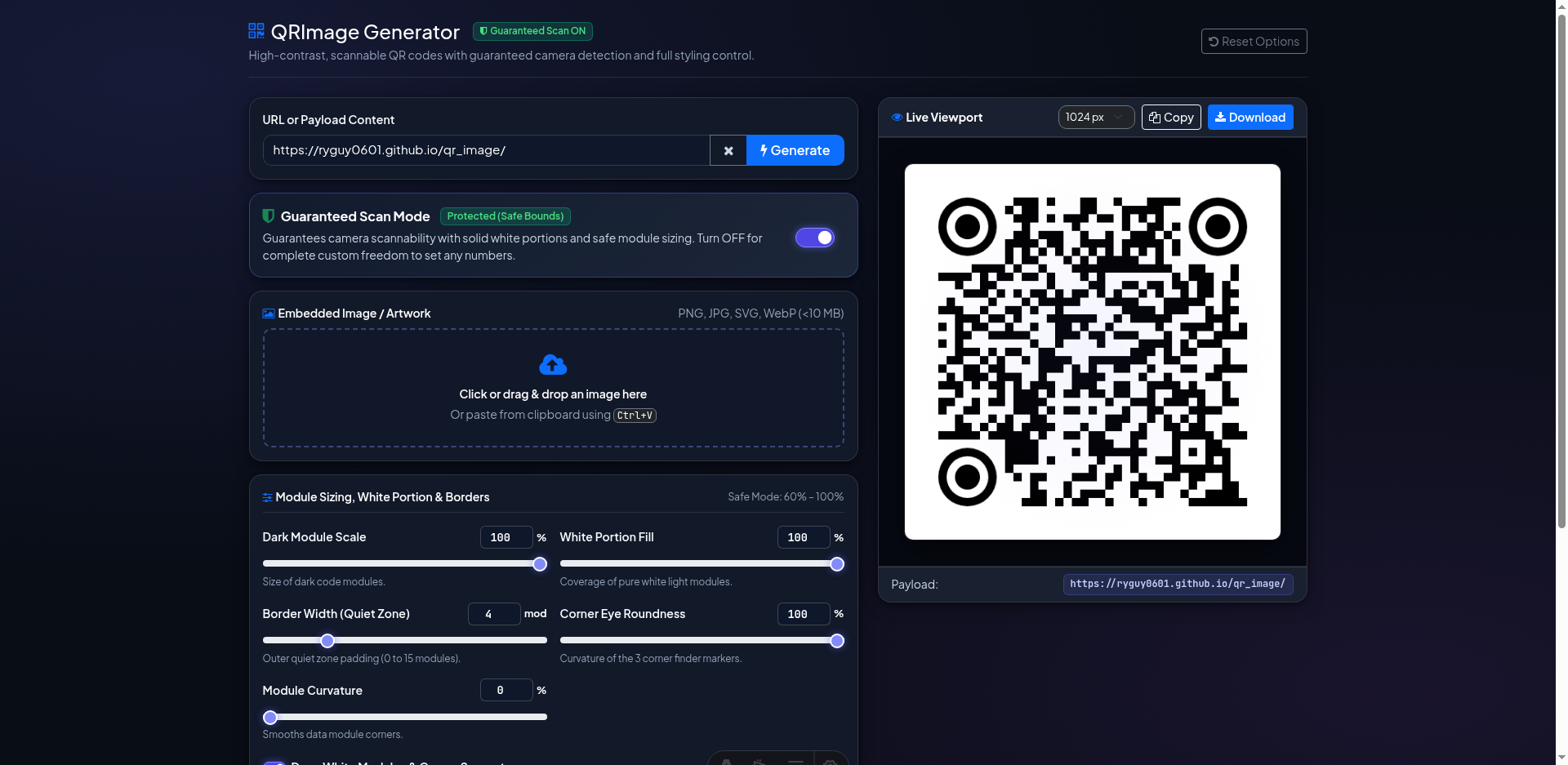
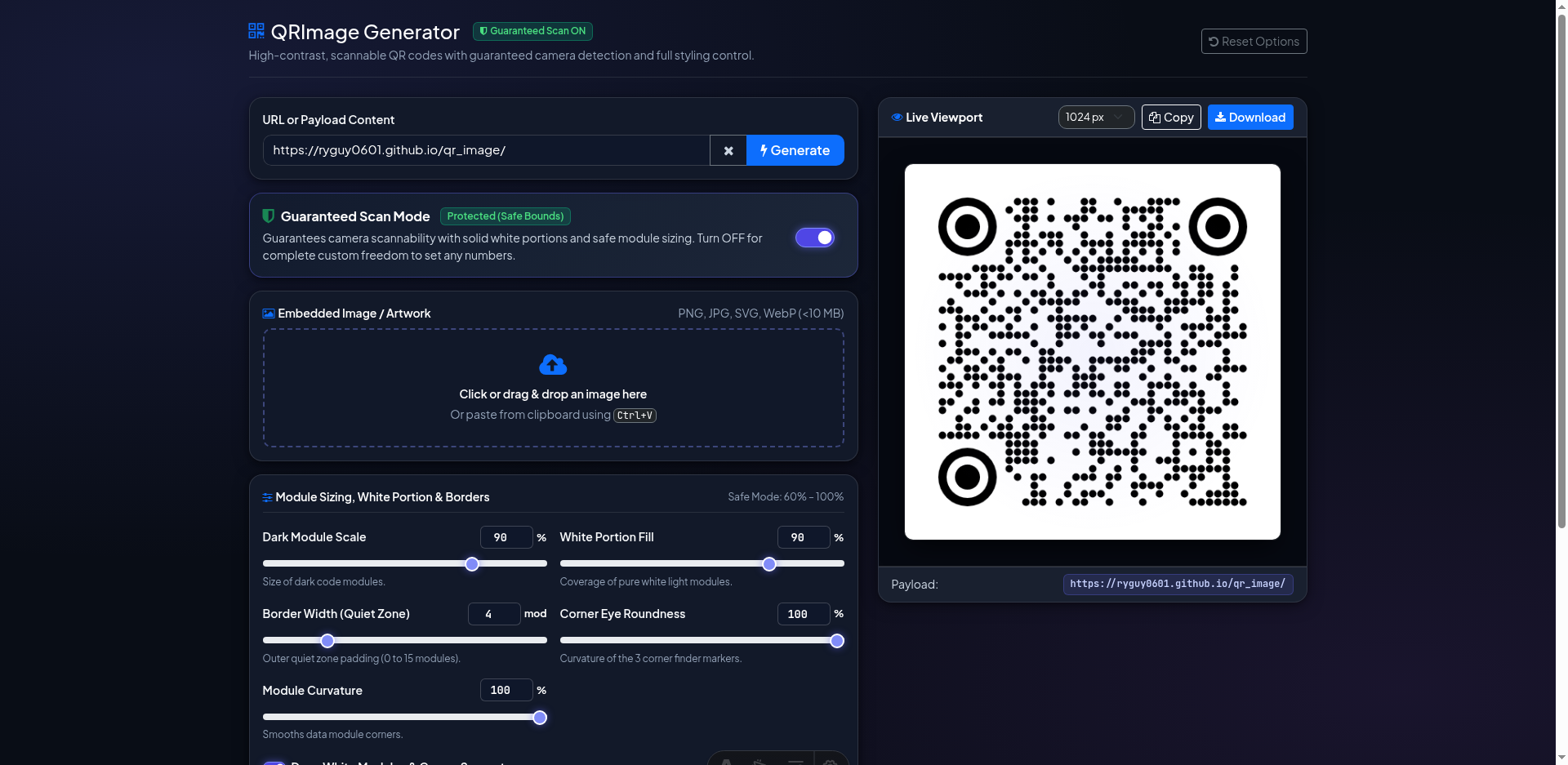
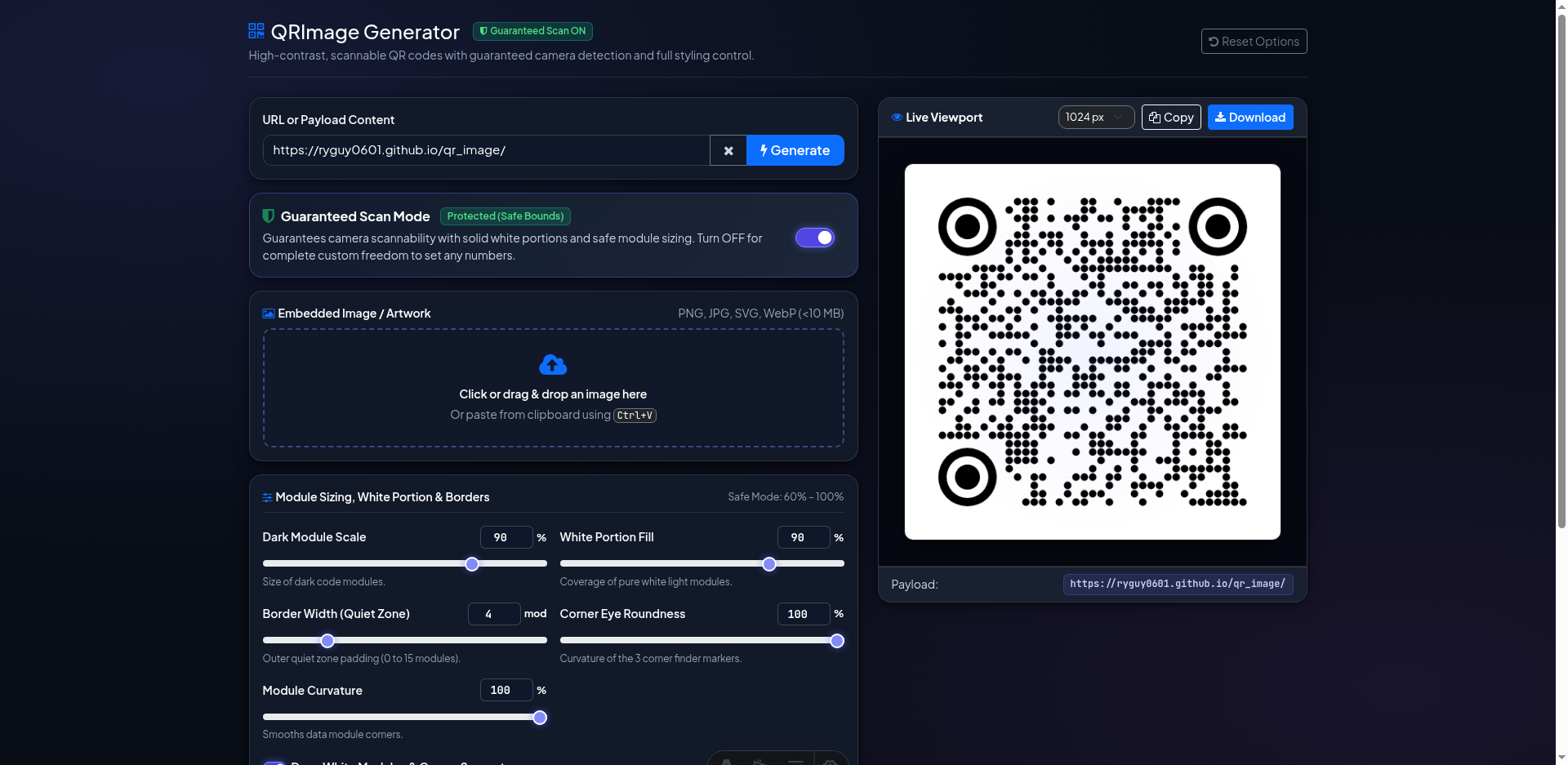
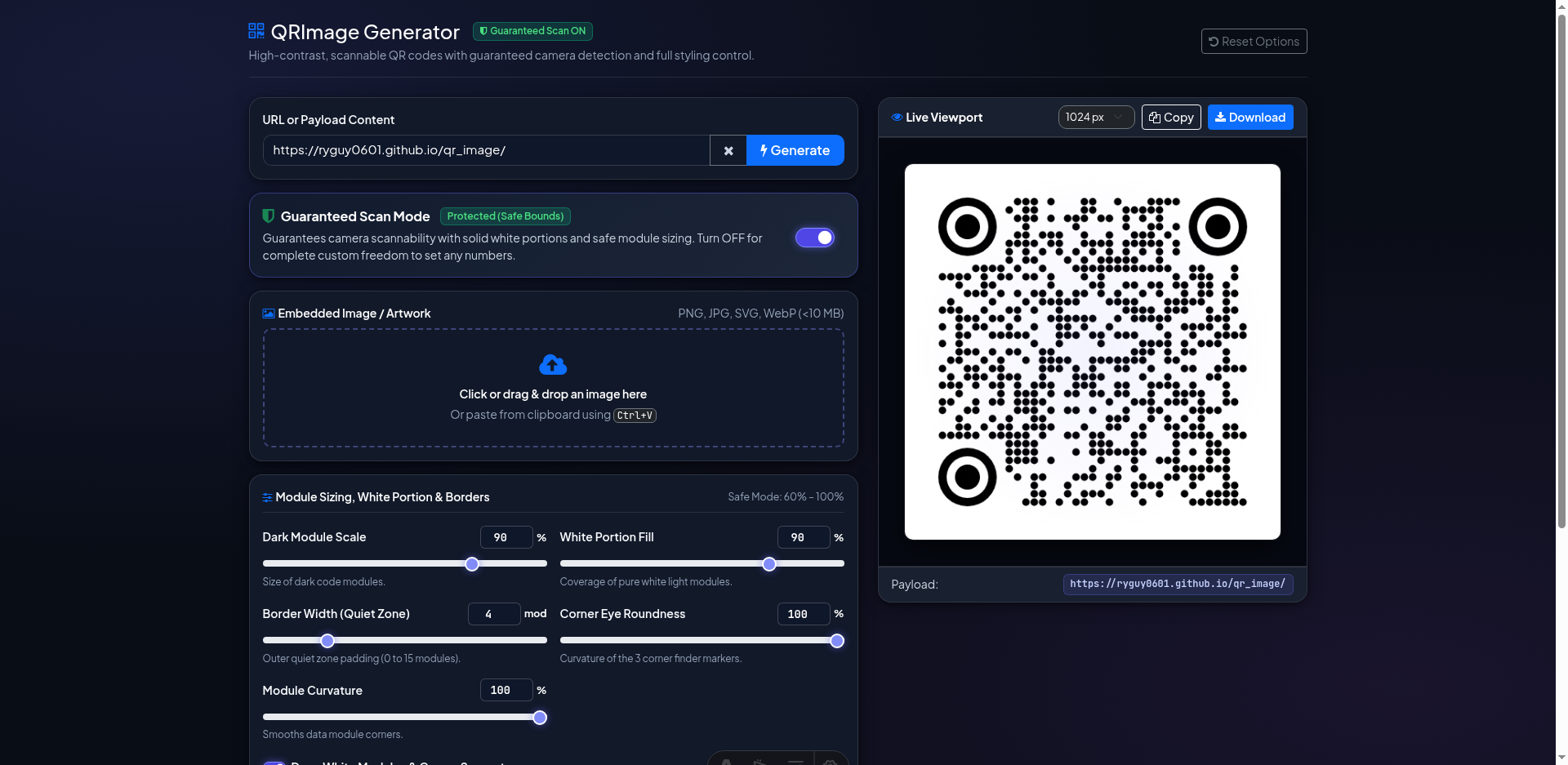
A modern, high-contrast QR code generator built with Astro that produces beautiful, camera-scannable QR codes with embedded images, custom artwork, and full styling flexibility.
High-Contrast Aesthetic Styles: Polka Dots, Fluid Curves, and Tech Rounded with Real-Time Guaranteed Scanning
✨ Features
- Built with Astro: Component-driven architecture with fast HMR dev server and static site generation (
SSG). - Guaranteed Scan Protection: Ensures smartphone cameras can scan the QR code reliably by maintaining high-contrast module separation, solid quiet zones, and Level H (30%) error correction.
- Custom Freedom Mode: Unlock full manual control to customize module sizing, curvature, border widths (0 to 15 modules), and styling down to the exact percentage.
- Adaptive Sizing on Upload:
- No Image Loaded: Module scales and corner roundness default to full scale (
100%) for crisp, solid standard QR codes. - Image Uploaded: Automatically snaps module scales and corner roundness to the minimum (
60%in Safe Mode /0%in Freedom Mode) to maximize artwork visibility behind the code. - Image Cleared: Instantly restores sliders back to full scale (
100%).
- No Image Loaded: Module scales and corner roundness default to full scale (
- Full Image Visibility (No Corner Cutoffs):
- Corner finder patterns are rendered directly over background artwork without opaque white blocks, preserving image details all the way to the corners.
- Embedded Artwork & Logos:
- Background Art: Subtle mosaic styling overlaying the full code area with customizable dimming/tinting and inset margins.
- Center Logo: Badged logo placement with rounded corners, drop shadows, and automatic safe zone calculation.
- Direct Clipboard Integration:
- Paste to Embed: Press
Ctrl+Vanywhere on the page to immediately embed an image from your clipboard. - Copy QR Image: One-click button to copy the generated QR code directly to your clipboard.
- Paste to Embed: Press
- Multi-Resolution PNG Export: Download crisp assets ready for digital use or print:
512 px(Standard Web)1024 px(High Resolution)2048 px(2K Print Quality)4096 px(4K Ultra HD / Large Poster)
- Live Interactive Previews: Instant debounced rendering as you type or adjust sliders.
- Sleek Dark UI: Modern dark theme crafted with Plus Jakarta Sans and JetBrains Mono typography.
🚀 Quick Start
Prerequisites
- Node.js (version 18 or later)
Running Locally with Astro
Clone or download the repository:
git clone https://github.com/ryguy0601/qr_image.git
cd qr_image
Install dependencies:
npm installStart the Astro development server:
npm run devOpen your browser and navigate to:
http://localhost:4321/
📦 Project Structure
qr_image/
├── public/                 # Static assets (favicons, public files)
│   └── favicon.svg
├── src/
│   ├── components/         # Modular Astro UI components
│   │   ├── Header.astro    # Top navigation & reset action
│   │   ├── QRControls.astro# Form inputs, sliders, presets & color pickers
│   │   └── QRPreview.astro # Live viewport, resolution selector & export actions
│   ├── layouts/
│   │   └── Layout.astro    # HTML document skeleton & global typography
│   ├── pages/
│   │   └── index.astro     # Main application page & client script orchestration
│   ├── scripts/            # Core QR matrix & canvas rendering modules
│   │   ├── qrcode.js       # UTF-8 QR code matrix engine (ES module)
│   │   └── qrRenderer.js   # Canvas drawing, scannability enforcement & clipboard APIs
│   └── styles/
│       └── global.css      # Design system variables, dark theme & utility classes
├── astro.config.mjs        # Astro project configuration
├── package.json
└── README.md
🛠️ Available Scripts
| Command | Action |
|---|---|
npm run dev / npm start |
Launches the Astro dev server at http://localhost:4321/ with HMR |
npm run build |
Builds optimized static output into dist/ |
npm run preview |
Previews the build output locally |
npm run deploy |
Builds and deploys static site directly to the gh-pages branch |
📖 Usage Guide
- Enter Payload: Type or paste your URL, contact info, or text into the input field. The QR code updates automatically.
- Add an Image (Optional):
- Drag & drop an image file (PNG, JPG, SVG, WebP) onto the upload box.
- Or click the box to browse your files.
- Or press
Ctrl+Vto paste an image directly from your clipboard.
- Choose Embedding Style:
- Background Art: Displays the artwork behind the QR modules with adjustable dimming tint and inset margins.
- Center Logo: Places a clean, padded logo badge in the center of the QR code.
- Tune Scannability & Aesthetics:
- Keep Guaranteed Scan Mode enabled for safe bounds.
- Toggle to Custom Freedom to customize module scale, corner roundness, borders, and color schemes.
- Export & Share:
- Select your desired output resolution (e.g.,
1024 pxor2048 px). - Click Download to save the PNG, or click Copy to copy the image to your clipboard.
- Select your desired output resolution (e.g.,
🎛️ Controls & Configuration
| Control | Description | Range / Options |
|---|---|---|
| Guaranteed Scan Mode | Locks module size & border to camera-safe minimums | ON / OFF |
| Dark Module Scale | Adjusts the footprint of dark data modules (snaps to minimum on image upload) | 60% – 100% (or 0% – 100% in Freedom mode) |
| White Portion Fill | Adjusts coverage of white spacer modules (snaps to minimum on image upload) | 60% – 100% (or 0% – 100% in Freedom mode) |
| Corner Eye Roundness | Curvature of the 3 corner finder markers (snaps to minimum on image upload) | 0% – 100% |
| Module Curvature | Rounds the corners of modules for fluid or rounded styles | 0% – 100% |
| Border Width | Outer quiet zone padding around the QR code | 0 – 15 modules |
| Embedding Style | Choose between Background Art (mosaic) or Center Logo badge | Background / Center |
| Background Dimming / Tint | Darkens/tints artwork to maximize code contrast | 0% – 70% |
| Image Inset Margin | Insets image artwork inside the QR matrix boundary | 0 – 10 modules |
| Error Correction | Reed-Solomon redundancy level (L 7%, M 15%, Q 25%, H 30%) |
L, M, Q, H |
| Color Pickers | Custom foreground and background colors | Hex codes |
| Transparent Canvas | Renders background transparent for PNG overlays | Toggle |
| Draw White Modules | Toggles drawing of high-contrast white spacer modules | Toggle |
🙏 Credits & Acknowledgements
- Original Project Creator: Hugh Chen — Created the original qr_image project and image-embedding application concept.
- QR Engine: davidshimjs — Original JavaScript QR code matrix generator library and algorithms.
- Framework: Astro — The modern static site and component-driven web framework powering this application.
📄 License
This project is licensed under the GNU General Public License v3.0 — preserving the original open-source license by Hugh Chen.